
The following are the exciting features of MySword for Android:
- Multiple offline Bibles, Commentaries, Dictionaries, Devotionals, Books, Graphics/Maps
- Bible version verse comparison
- Highlighting; Bookmarks; Verse list
- Cross-references inline or via Treasury of Scripture Knowledge (TSK)
- Type your personal notes and insights by verse or topic (Journal)
- Search (concordance) for Bible, Dictionaries, Commentaries, Personal notes and Journal
- Full screen mode support for more viewable text
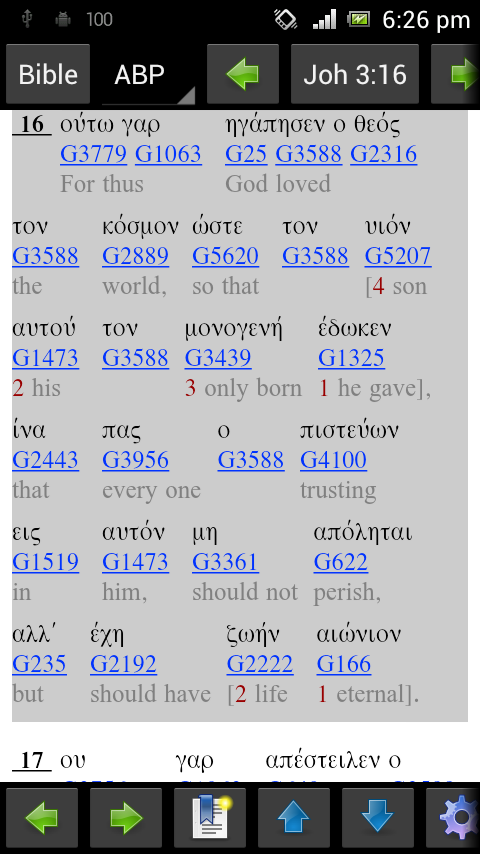
- Strong's number support linked to dictionary for easy access
- Support for Morphological codes and link to the Dictionary view
- Arrangeable buttons
- User selectable Color scheme/theme
- Resizeable text allowing fine adjustment of text size
- Page history navigation (back and forward)
- Picture support for Commentaries, Dictionaries, Devotionals, Personal Notes and Books/Journals
- Text-to-Speech support for Bible
- Embedded Bible pictures
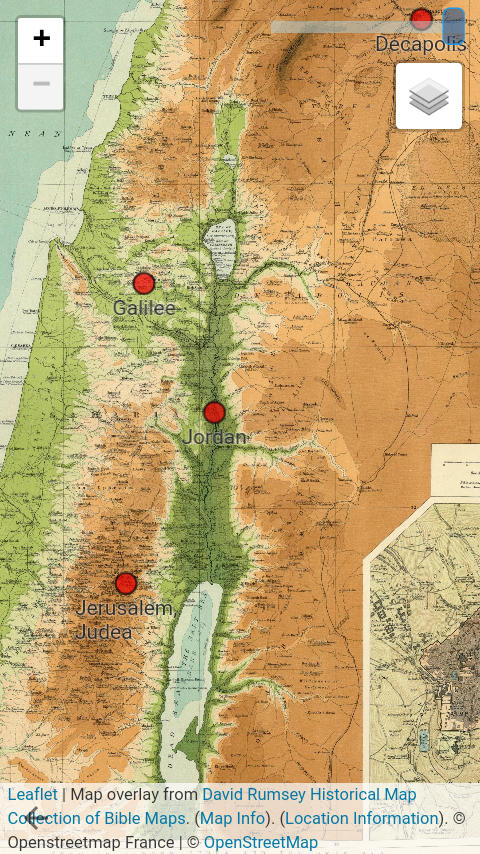
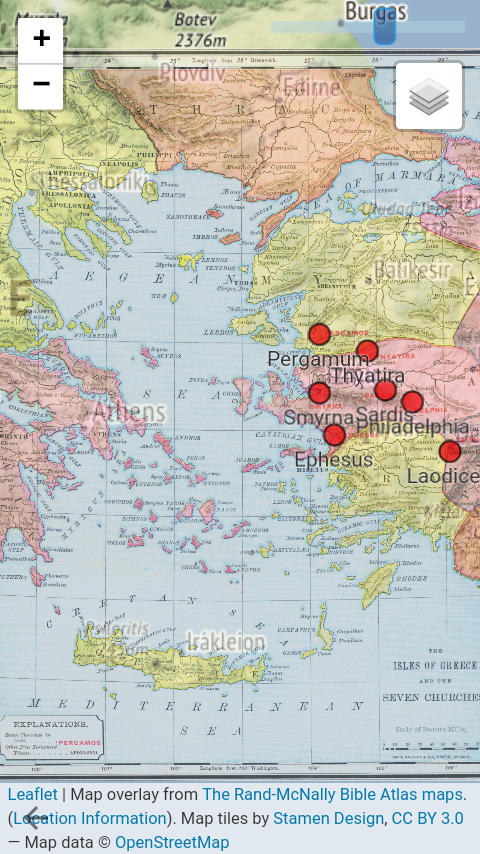
- Verses with geo-location linked to Bible maps
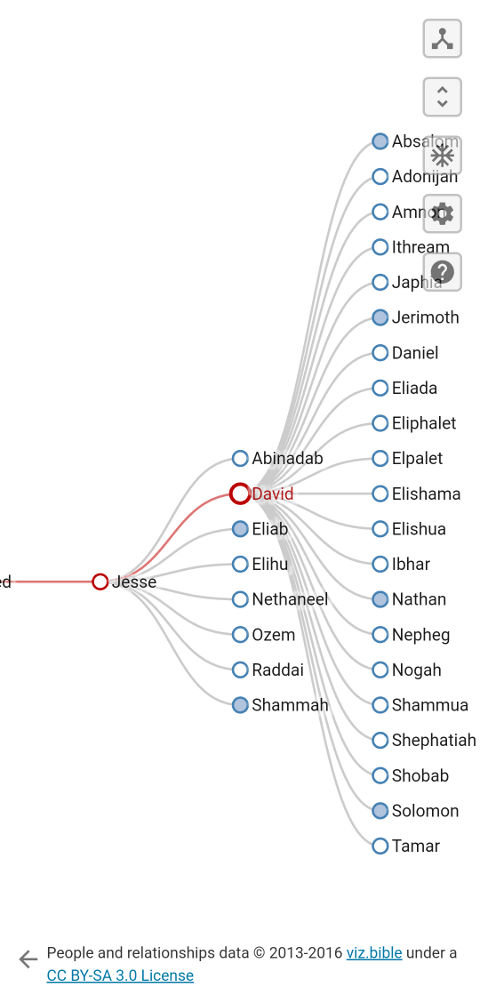
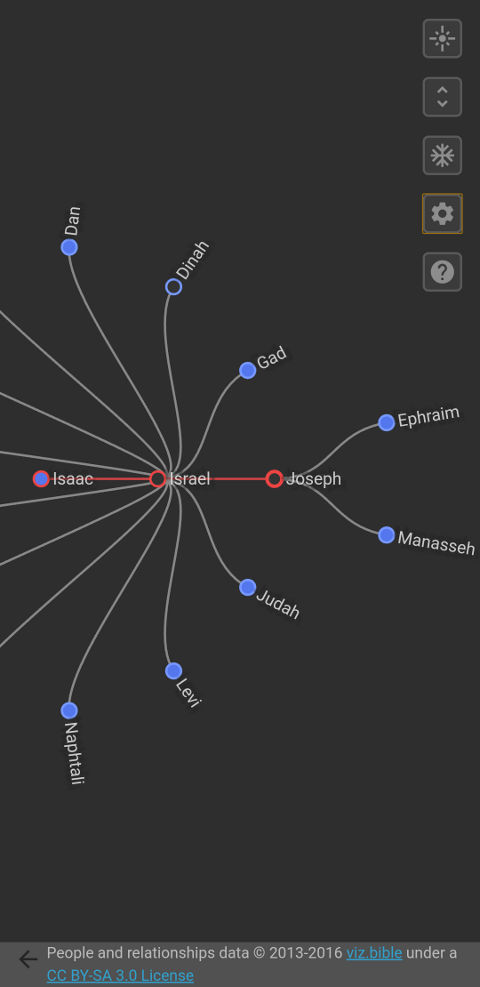
- Verses with people can have link to People Relationship diagram
- Support for non-encrypted ESword, MyBible, The Word and USFM bibles and modules
- Bible book order option
- Easy Sync Backup with Cloud storage servers (please see How to use the New MySword 13.0 Sync Backup Feature)
The following are the other features of MySword for Android:
- Below are examples of Bible pictures:
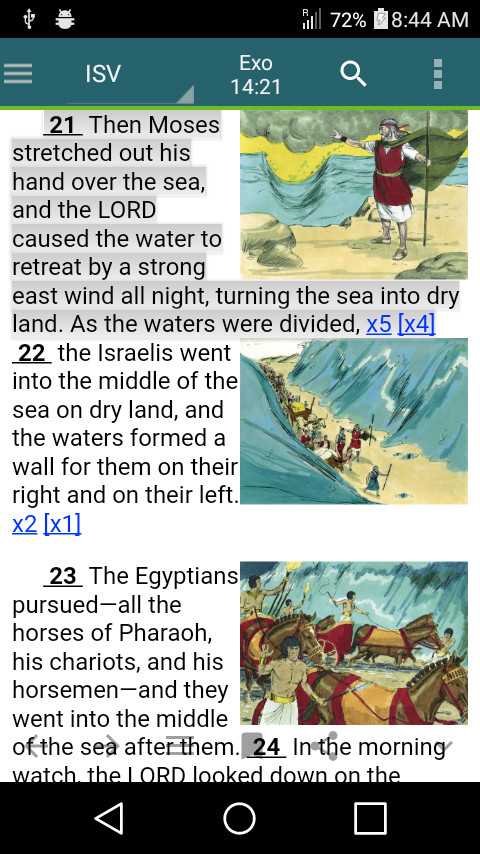
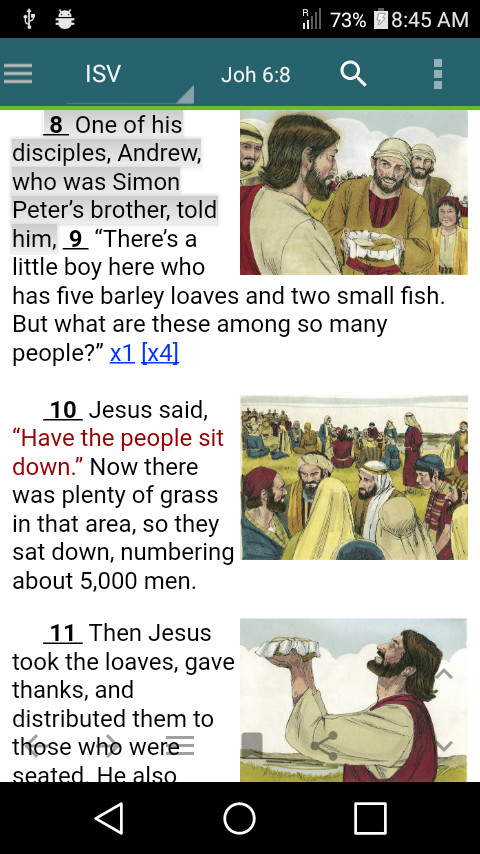
Embedded Bible Pictures: © Sweet Publishing (www.sweetpublishing.com), available under (Creative Commons Attribution-Share Alike License (3.0))
- Below are examples of Bible maps:
- Below are examples of People Relationship diagrams:
- Clipboard contents Preview
- Right-to-Left (RTL) support
- The editor for Personal notes (by verse) and Journal (by topic) use a simple wiki syntax for easy formatting of your notes but there is also a WYSIWYG/Rich text editor. Both types of editor supports the following:
- bold, italic, underline
- highlighting
- headings
- nesting of bullets and numbers
- tables
- links to Bible references, Commentaries, Dictionaries, Books, Devotionals and other Journals
- pictures
- More indent, less indent
- Horizontal rule
The WYSIWYG also supports the following:
- Alignment
- Subscript, superscript
- Text size
- Font
- Style (CSS)
- Edit HTML
- Blockquote
- Box
- Copying of current verse, all text and custom selection of text in all views (Bible, Commentary, Dictionary, Book, Personal notes and Journal) including the Search results which is very useful for Personal notes and Journal editing
- Verse link in Commentaries, Dictionaries, Devotionals and Books to the Bible view.
- Links between documents, e.g. Commentary reference to Bible passage
- Download of modules (Bibles, Commentaries, Dictionaries, Books, Devotionals/Journals, Graphics/Maps)
- Backup and restore of settings, highlights, bookmarks, Personal notes and Journals
- Linen Color Theme with tiled background image
- Interlinear view for Interlinear Bibles
The following are the Premium features of MySword:
- Unlimited Journal entries
- The non-premium only allows 7 entries per Journal/Book.
- Unlimited creation of Journals
- The non-premium only allows 11 updateable Journals.
- Compare arrangement capability
- You can select what translations to enable in Bible Compare and you can also arrange the sequence.
- Special Bible viewer that can be launched from the Editor
- The user will not have to exit the Editor to view the Bible anymore.
- Better Link entry in Personal Notes similar to the Journal Editor
- Instead of typing the link codes inside the square brackets, you are given a menu to select what type of link (Bible, Notes, Journal, Dictionary, Strong's or Commentary) and a specialized selector window will appear. This way errors in entries are prevented.
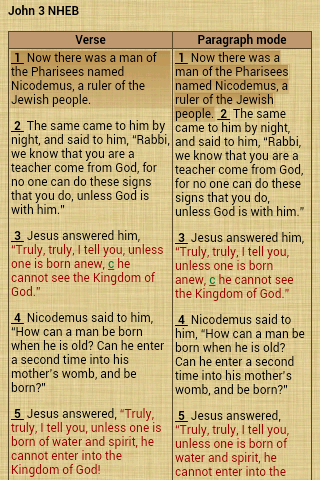
- Capability to show Bible chapter in paragraph mode instead of verse mode.
- Note that not all Bible modules have paragraph tags. Modules with paragraph tags are: ASV, ISV, LEB, KJV, KJVLite, NET, WEB, YLT. Bible modules without paragraph tags are displayed in the original verse mode.
- It is also possible to use the default paragraph based on KJV for those modules without paragraph tags.
- Capability to hide/show tags like Strong's, morphological, translators' notes and title; show words of Jesus in Red/Normal color; and Add/remove the verse line spacing.
- Capability to put Strong's and morphological links on the text instead of having the numbers with links.
- Visual theme editor for user-created color themes. Change the color of the background, highlights, Strong's numbers, etc. Also you can make the text bold, italic, underlined, subscript or superscript.
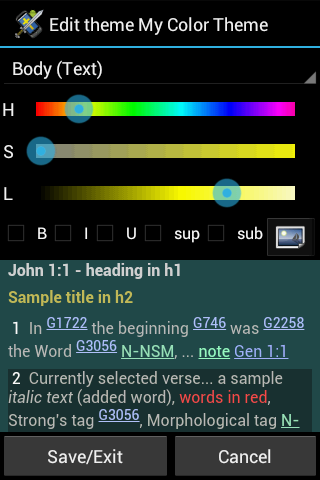
- With Premium, you can also put a background image in tiled or auto-scroll mode and adjust the transparency (alpha) to blend with the background color.
- The non-premium only allows editing the text CSS code of the theme.
- Parallel Bible view. You can now compare whole chapters of Bible translations you select side by side. This is very useful for tablets and large screen phones.
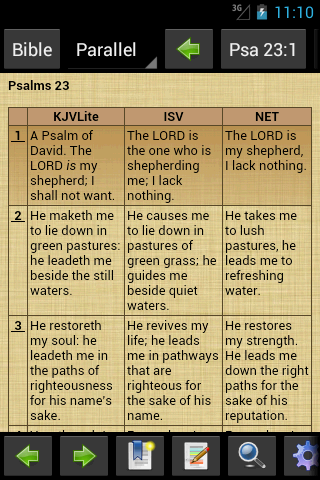
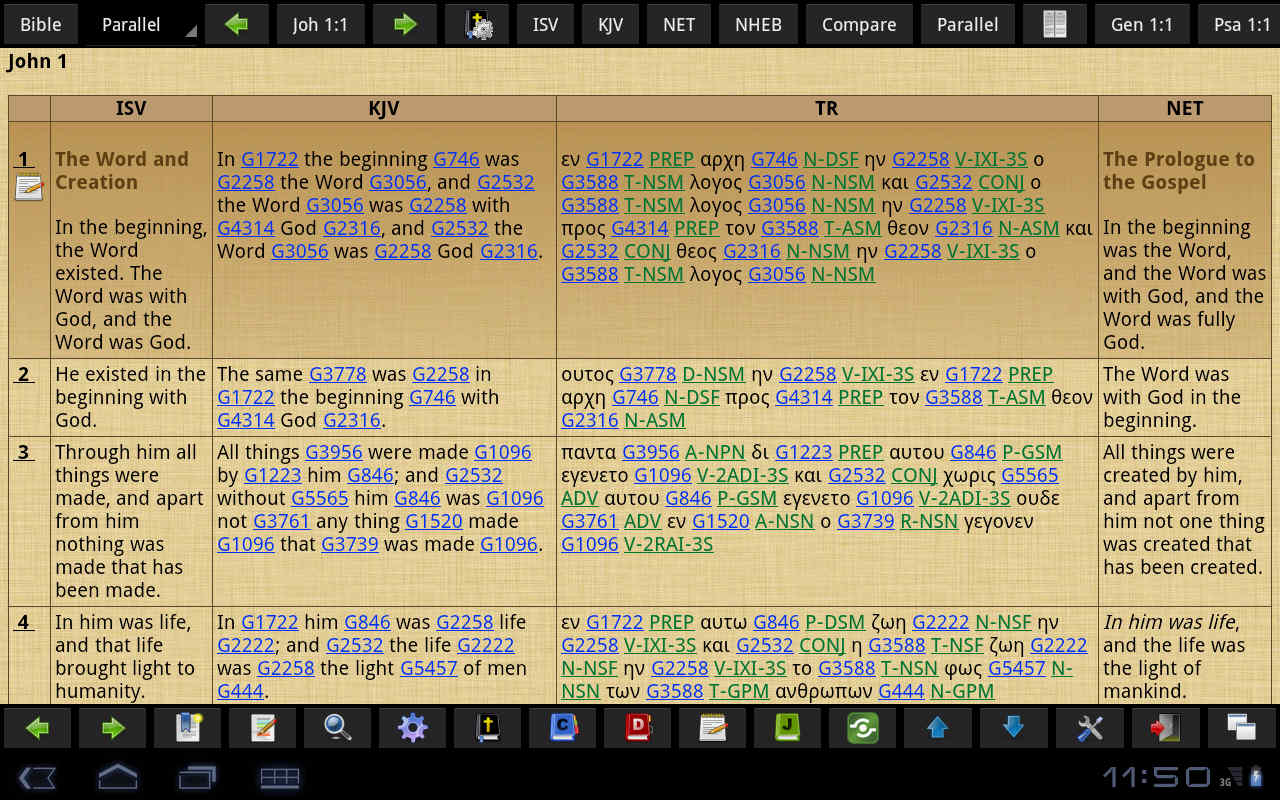
- The non-premium is limited to Chapter 1 only for all books of the Bible as demo.
- Search improvements:
- User-settable search limit. For non-premium, it is fixed to 100 entries.
- Full-text search (FTS) support for Bible, Commentary, Dictionary and Personal Verse Notes. The user has the option to create, use FTS or use the ordinary search. For non-premium, only encrypted modules enable the creation of FTS index as searching through encrypted text is really very slow. The Journal/Book already has built-in support for full-text search though (no need to create).
- Synonyms for FTS search in Personal notes and Journal via external file synomyms.txt.
- Sort button in Journal/Book Search screen to sort by id or title ascendingly or descendingly or by relevance.
- Modules (Bibles, Dictionaries, Commentaries, Journals/Books) can be hidden to make the list shorter. See Menu->Preference->Modules Management.
- Export Bible, Commentary, Dictionary, Personal Notes and Journal/Book current page content to HTML file.
- Share content (Bible verse, verse range, notes, journal entry and other content as well) via Email and SMS.
- Added swipe left column for brightness adjustment and pinch-zoom for font-size adjustment. Please go to the Preferences to enable these.
- Bookmark capabilities for all other module types: Notes, Commentaries, Dictionaries and Journals/Books. Except for Notes, the bookmark is per module (per commentary, dictionary, journal/book). Also, the scroll position is saved as percentage.
- Unlimited undo/redo capability for the non-WYSIWYG editors
- Bible view button: Bible view preferences - short cut for paragraph mode, words of Jesus in red, show Strong's tags, Morphological tags, translators' notes, title and with verse line spacing.
- Insert date, date/time, symbol/special character, insert table, insert file Link (launches an external File Explorer to select a file)
The following are the Deluxe features of MySword:
All Premium features are included in the Deluxe Complete Edition of MySword plus the following:
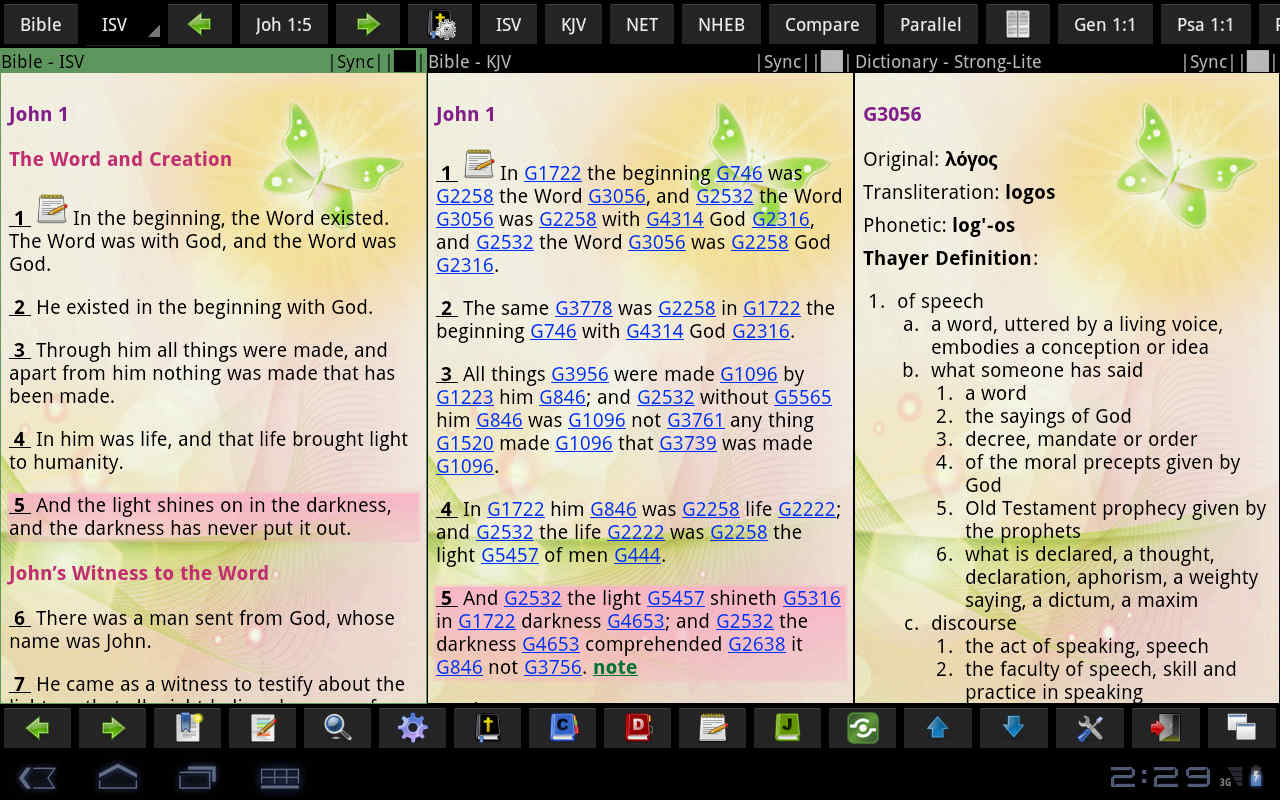
- Main window Split screen / multiple views
- With MySword Deluxe Complete Edition, it is now possible to have multiple views on the main screen so that you can have a Bible on the left, Strong's dictionary at the middle and a Commentary on the right.
- Deluxe Search
- Split screen - The normal search pane is on the left while a preview is on the right. The advantage of having this preview is to see the entire context (whole chapter for the Bible or whole article for other module types) without leaving the search screen.
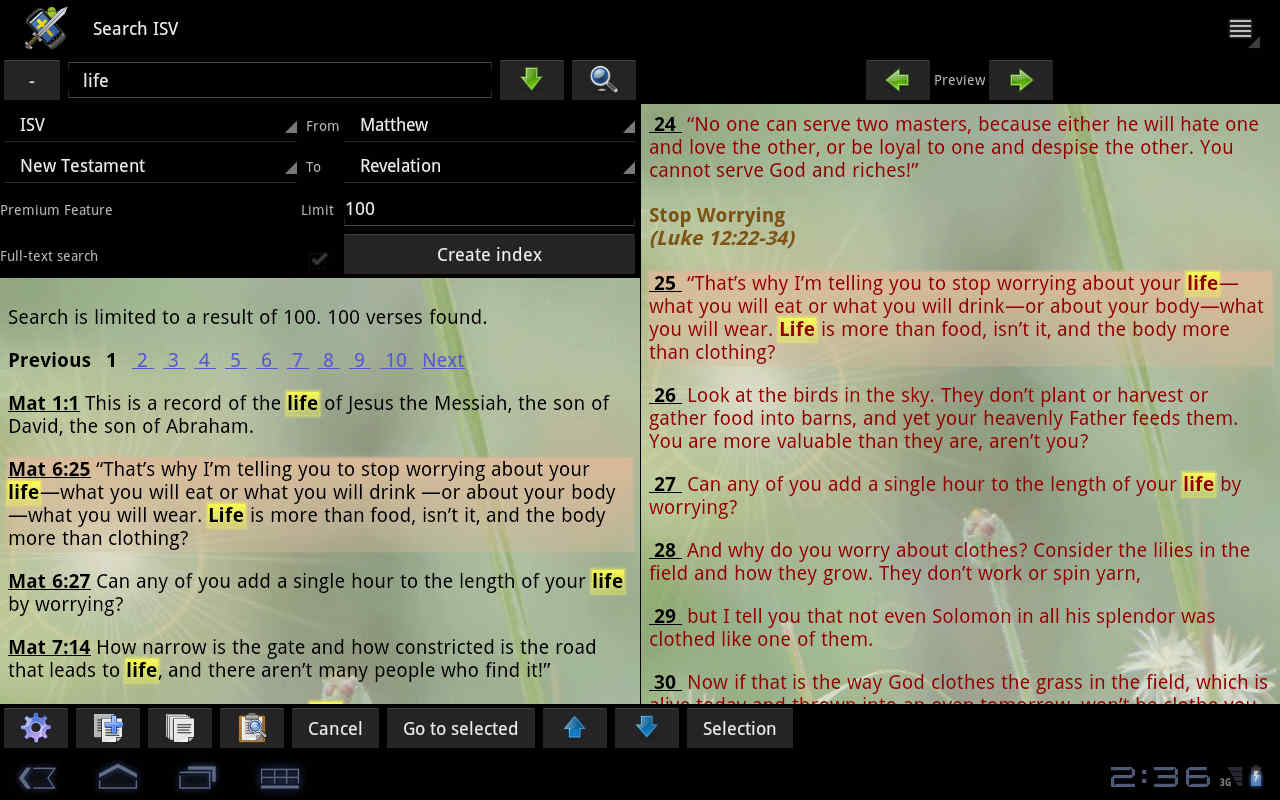
- Search selection of modules
- Deluxe Editor
- Split screen - Would it be nice to type on the Editor box with a Bible view besides it? How about navigating this Bible view to the verse link that the cursor/caret in the editor is currently on? How about easily copying the currently selected verse in the Bible view into the Editor without leaving the editor? All these are made possible in MySword Deluxe Complete Edition!
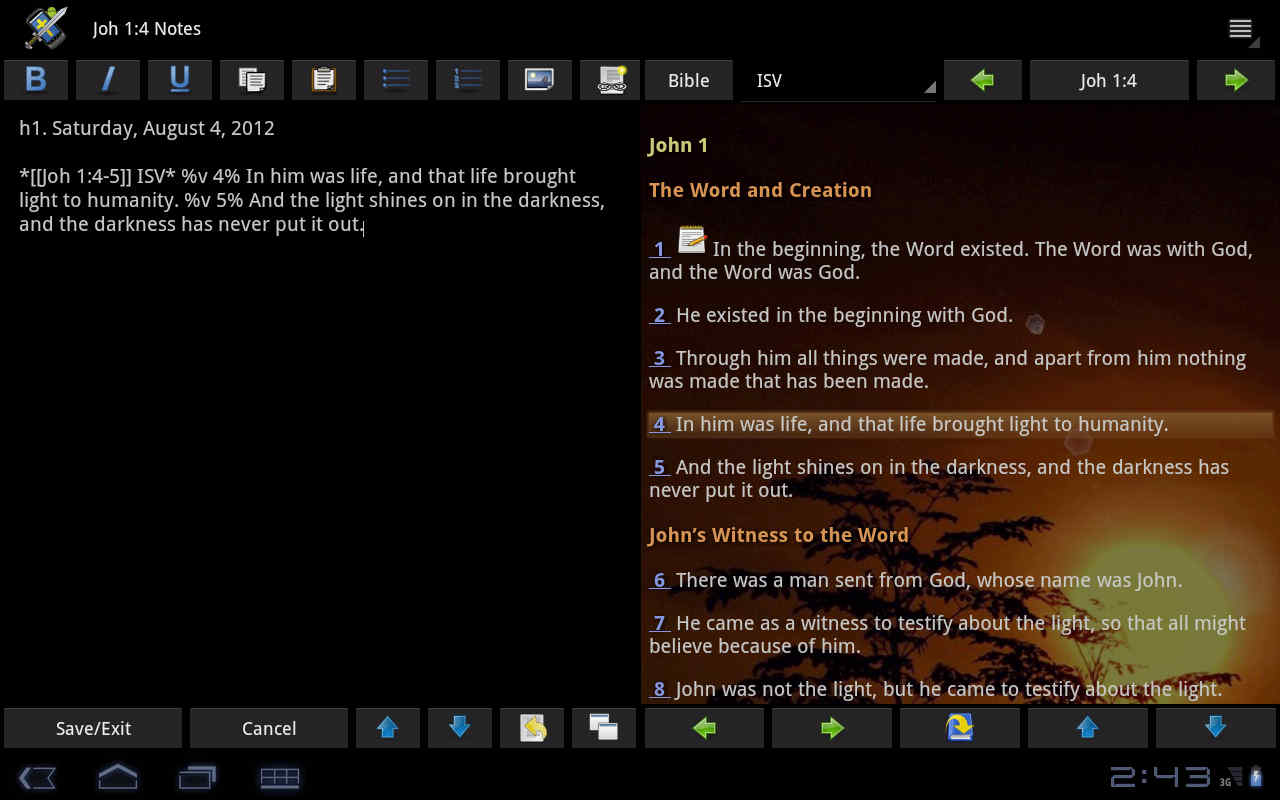
- Insert symbol/special character in Premium shows the symbols in popup up dialog while the Deluxe in split view over the Module preview on the right.
- Insert Icons (graphical symbols) via the Insert button (+).
- Deluxe Bookmark Management
- Grouping of bookmarks - You can add or delete a bookmark group, show specific group or show all.
- Show all bookmarks for all modules for Commentary, Dictionary and Journal/Book types.
- Verse List improvement: Grouping of verse list
- Search improvements
- Search several modules of the same type (Bible translations, Commentaries, Dictionaries or Journals/Books) at the same time.
- Exact search and FTS - Exact / No accents search types/modes which allow you to do exact word/phrase search.
- Toggle Bible Compare button in the split preview
- More Color Themes with tileable background images: Bamboo, Butterfly, Grass, Linen Blue, Parchment, Stone Mosaic, Sunrise, Water, Water Falls
- Faster dictionary lookup by automatically using the selected text or the Clipboard text and selecting the setting-specified dictionary (Deluxe feature).
- Text-to-speech for commentary, dictionary, personal notes, book, journal and popups.
- Highlight words similar to Search highlight but for the main views (Deluxe feature). This is useful for temporarily highlighting words you are studying.
- Tags in Bible view - complete features
- Free and Premium version: add one kind of icon tag: Face-smile.
- Deluxe version:
- Add text tag, icon tag or custom adhoc note. Insert picture.
- Any tag can have an associated popup note.
- Any tag can be positioned relative to the verse: before, at the beginning, at the end or after.
- Any tag can also be custom positioned: after any word in the verse (only the word number is saved so this is translation-specific).
- Any icon tag can have a custom size.
- Ability to add multiple tags in the same verse, even the same tag multiple times.
- Ability to change the size of the icon tag.
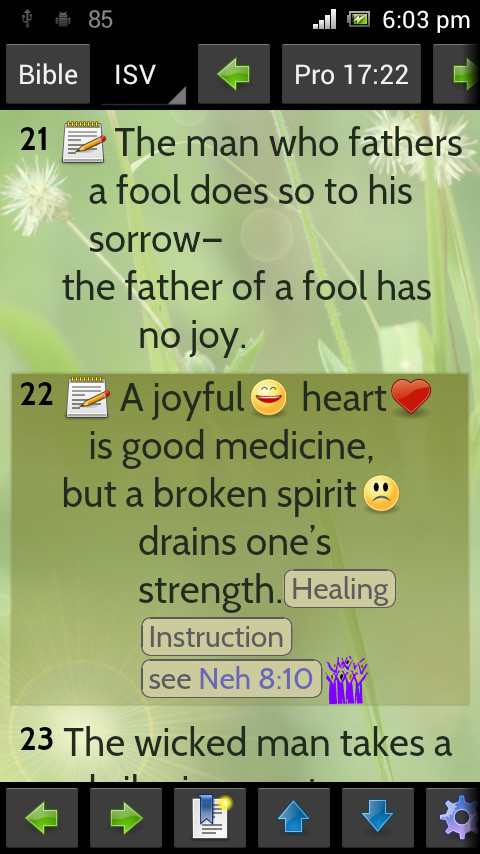
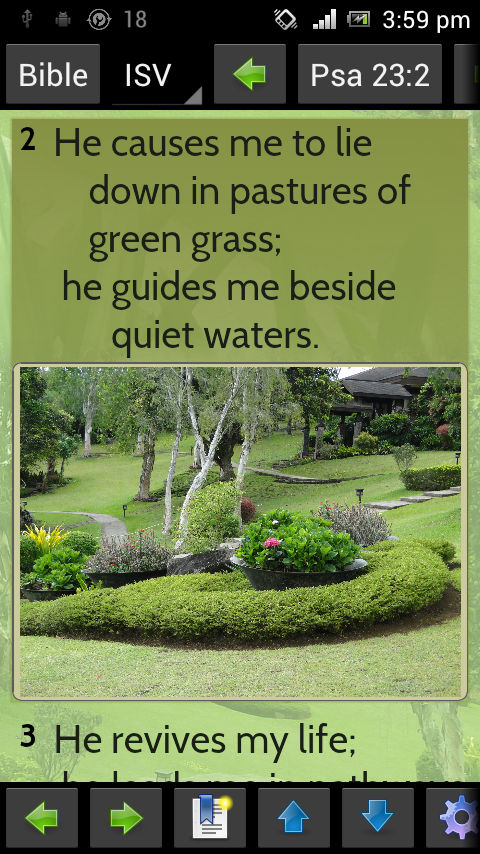
- Format Bible verse words with bold, italic, underlined, highlight, color and box.
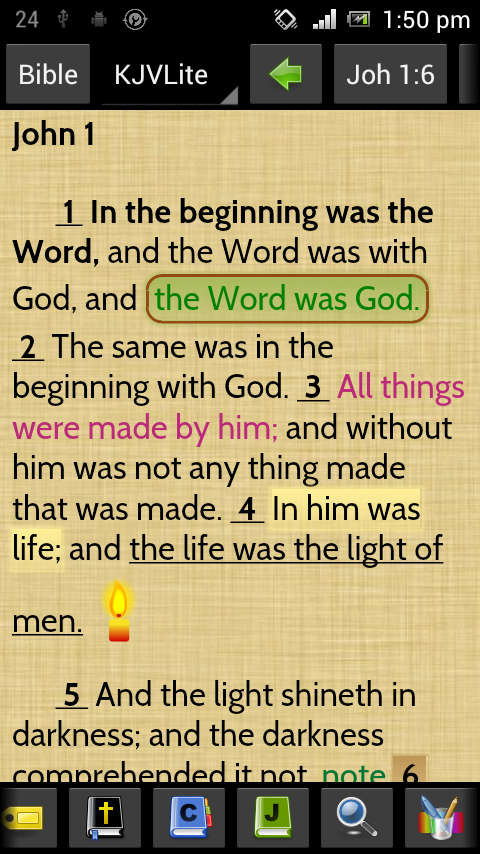
- Format (highlight/tag/annotation) for non-Bible views like Commentary, Dictionary, Book, etc.
- Customizable Button bar style (default, border, gradient, gradient pingpong, gradient border, one color) and background color.
- Parallel view in verse mode option to show Difference. This can be used to compare almost similar Bible versions like ASV and WEB, an old and updated version like KJV and KJ2000, or different Greek manuscripts.
- Reading Plan and Own Pace Progress tracking (Deluxe) (for Froyo [Android 2.1] and higher only)
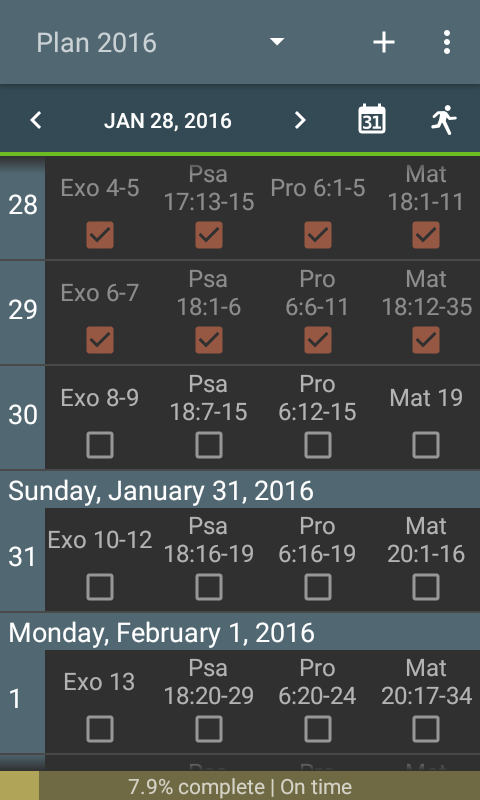
- Reading Plan
You can create a reading plan with single track like from OT to NT or multiple tracks like OT, NT, Psalms and Proverbs; start any day; specify the number of days; and keep track of your progress.
- Own Pace Progress Tracker
If you do not have specific plan but rather read the Bible at your own pace, you can also keep track of your progress and log the verses you had read for the day. Using the Bookmark labels to identify your tracks, you can easily add reading progress.
- Track the number of verses read per day per track as well as link the notes, tags with notes and journal entries written.
- Tapping the bottom progress information will give a summary with graph of verses read and notes written per day (for Jellybean and higher).
- Print the plan or progress.
- Calendar icon for Reading Plan added to:
- Bible button bar on top (rightmost)
- Compact Mode: Bible view Navigation Drawer and Custom buttons option for Top and Bottom
A demo for non-Deluxe version is available for 30 days.
See this article for more details: Using MySword Reading Plan
- Reading Plan
- Word Analysis:
- Word Occurrence: given keywords, determine the occurrences per Bible chapter and list from highest to lowest to know where those keywords occur most. Commentary and Personal notes are per verse while Dictionary, Journal and Book are per entry/topic.
- Word Frequency: given a Bible verse range or a verse for Commentary and Notes or a topic for other module types, list the words found and the frequency.
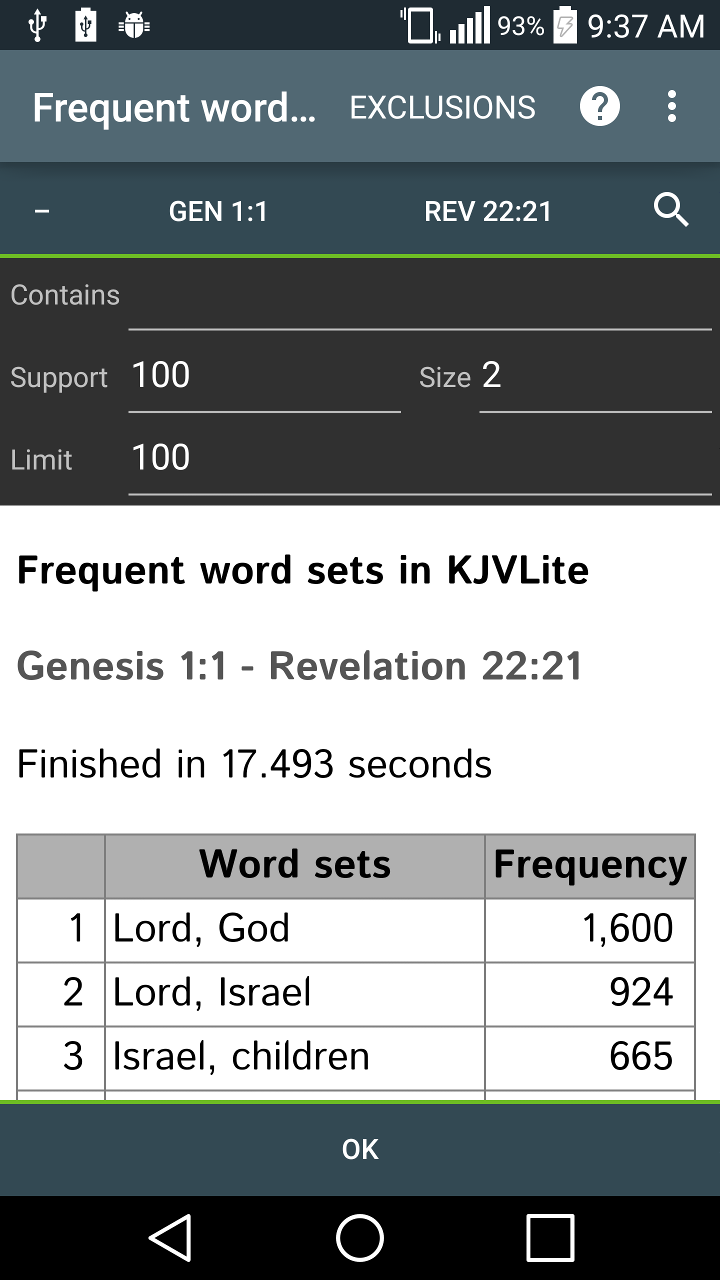
- Frequent Word Sets: given a range of verses/records, minimum number of supporting records, minimum size of the word set and an optional contains filter, all the frequent word sets are extracted sorted by frequency. You can use this to get the most common word pairs, triplets, quadruplets, etc. For example in KJV, the most common pair is {Lord, God} occurring 1600 times, triplet {Lord, Israel, God} 340 times.
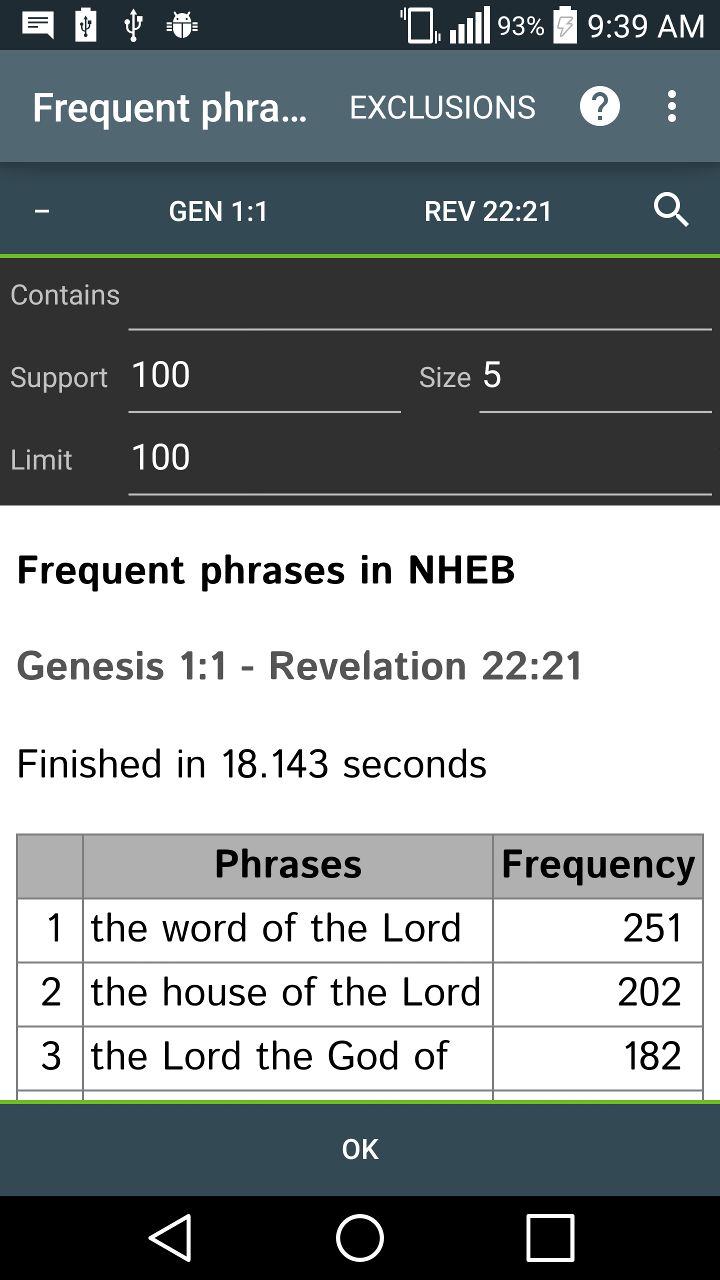
- Frequent Phrases: given a range of verses/records, minimum number of supporting records, minimum size of phrase and an optional contains filter, all the frequent phrases are extracted sorted by frequency. For example in NHEB, the most common 5 word phrase is "the word of the Lord" occurring 251 times, while the second is "the house of the Lord" occurring 202 times (hey, it is God's word, remember).
- Stats and other info features for Gingerbread and higher:
- Summary - display summary sentences only of the current page; inside the brackets is the rank and score (1 is normal sentence score) then followed by the sentence number
- Summary highlight - display the current page highlighting the summary sentences; the highest rank is given a stronger highlight color (search highlight color was used)
- Summary of clipboard - display the content of the clipboard highlighting the summary sentences
Note: The summary feature uses word analysis to group similar sentences, get the centroid and rank them so the probable summary sentences are just extracted from existing ones, never simplified or combined and may not be very accurate. It is not intended to get the most important sentences or get insights from God's word but just to aid study. Please pray for the Holy Spirit for more revelation instead.
- Edit Bible Cross References via left Navigation drawer or top right Bible button bar (locate the hyperlink icon). You can add, edit or remove Bible references on the current verse using a UI similar to Bookmark or Verse list manager.
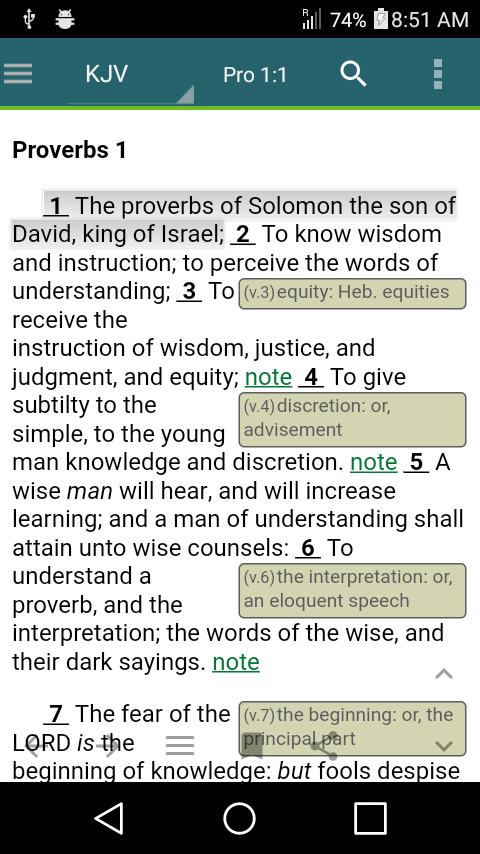
- Embedded commentary, personal notes or translator's notes on Bible view. The Free and Premium versions are limited to Chapter 1 only for all books of the Bible as demo.
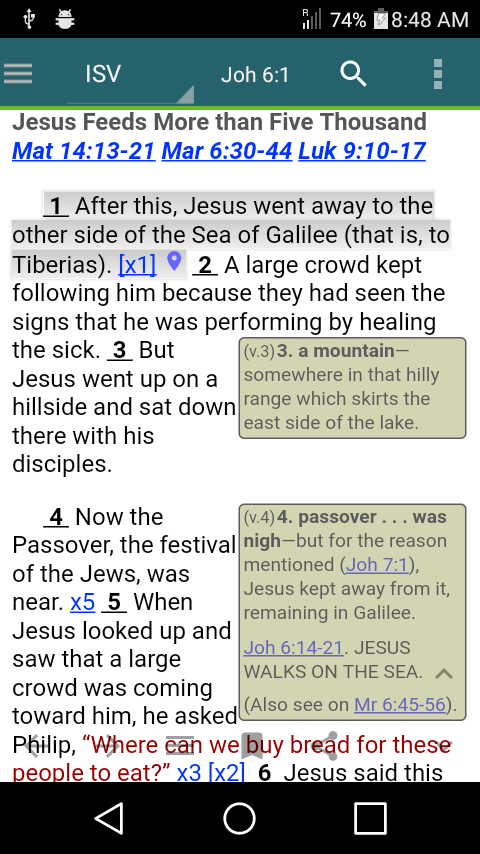
- Bible maps location dictionary lookup: tapping the location marker shows location information that has a link to lookup dictionaries.
How can the Premium or Deluxe Features be Activated?
The Premium and Deluxe Features of MySword are our complimentary gift to our generous supporters. You can give your seed via PayPal using this website (locate the Give to MySword button on the left side just below the menu) or the Donate Menu in MySword application. After giving your seed, please wait for MySword Technical Support to send you the Login Name and Login Password to be used in on-line activation using the Menu About->Activate Premium/Deluxe Features in MySword application.